What Is an AI Gateway?
An AI gateway is a security and control layer that sits between AI agents, AI-powered applications, and the systems they interact with. It acts as an intermediary that governs every interaction. An AI gateway provides a central point where organizations can apply security policies, verify identities, monitor activity, and control how AI systems access business resources.
As organizations deploy AI agents across customer support, operations, software development, and internal business processes, they need a way to safely connect those agents to enterprise systems. An AI gateway solves this challenge by exposing approved tools and services to agents while enforcing rules around what actions can be performed and what data can be accessed. This helps organizations reduce the risks associated with autonomous AI behavior, including unauthorized access, excessive permissions, and accidental data exposure.
Modern AI gateways are designed to support agentic workflows, where AI systems can reason, make decisions, and interact with multiple business applications. They provide centralized governance, security controls, observability, and policy enforcement across these interactions. As a result, organizations can deploy AI agents more confidently while maintaining visibility and control over how AI systems operate within enterprise environments.
In this article:
- Benefits of Using an AI Gateway
- How an AI Gateway Works
- AI Gateway vs. LLM Gateway vs. API Gateway
- Common AI Gateway Use Cases
- Key AI Gateway Features
- Notable AI Gateway Solutions
Benefits of Using an AI Gateway
An AI Gateway helps organizations manage AI integrations at scale. Instead of connecting applications directly to individual AI providers, teams can use a single gateway to standardize access, improve security, and simplify operations. This becomes especially important as organizations adopt multiple AI models, providers, and environments across teams and applications.
Key benefits of using an AI Gateway include:
- Security and governance: An AI Gateway provides centralized control over how AI services are accessed and used. Organizations can enforce authentication, authorization, rate limits, and content policies in one place. It also supports audit logging and request tracking, helping teams meet compliance and governance requirements.
- Observability and monitoring: AI Gateways often include built-in monitoring capabilities for tracking latency, token usage, error rates, and model performance. This visibility helps teams troubleshoot issues and optimize AI workloads more effectively.
- Reliability and failover: If a provider becomes unavailable or reaches rate limits, the gateway can automatically reroute requests to alternative models or providers. This improves application resilience and reduces downtime.
- Faster development: Developers can integrate AI features more quickly because they only need to work with a single gateway interface. This reduces repetitive implementation work and accelerates experimentation with new models and providers.
- Scalability: As AI adoption grows, the gateway provides a structured way to manage increasing traffic, multiple teams, and diverse AI workloads without creating fragmented integrations across the organization.
How an AI Gateway Works
An AI Gateway works by acting as a secure bridge between AI agents, applications, and enterprise APIs. Instead of allowing an AI agent to connect directly to internal systems, the gateway receives the agent’s request, verifies who the user or agent is, checks what it is allowed to do, and then translates the request into the API calls that the target business application can understand. It is as a layer that connects and protects agentic AI workflows by governing interactions between AI agents and enterprise applications.
The operational workflow of an AI gateway typically follows these steps:
- Connecting applications or APIs to the gateway. Organizations can choose existing application APIs or upload an OpenAPI/Swagger specification, then select which endpoints should be exposed as AI-usable tools.
- Converting these endpoints into MCP-compatible tools, allowing AI agents to interact with enterprise systems without developers having to build custom integrations for every application.
- Applying authentication and authorization controls. For example, it might support OAuth-based identity infrastructure, passthrough authentication, RBAC, and identity-based access control. This ensures that AI agents can only access approved systems, data, and actions based on organizational policies.
- Enforcing security guardrails during the interaction. These controls may include rate limiting, tool risk scoring, agent personas, least-privilege access, DLP scanning, sensitive data detection, redaction, and blocking. This helps prevent unauthorized actions, data leakage, prompt-based attacks, or agent behavior that falls outside the approved use case.
- Monitoring and logging activity across the full AI-to-API workflow. The gateway records which users and agents are accessing which applications, what API calls are being made, and what actions are being performed. This creates an audit trail and gives security, compliance, and platform teams visibility into AI usage across the organization.
AI Gateway vs. LLM Gateway vs. MCP Gateway
An AI Gateway is a centralized middleware layer that manages how applications, AI agents, and AI services interact. It provides security, governance, observability, routing, and policy enforcement across different AI providers and enterprise systems. AI Gateways support a wide range of AI workloads, including LLMs, embeddings, agentic workflows, and AI-to-API integrations.
An LLM Gateway is a specialized gateway focused specifically on large language model interactions. It standardizes access to providers like OpenAI, Anthropic, and Gemini while handling tasks such as model routing, prompt management, token tracking, retries, and failover. An LLM Gateway is narrower in scope than an AI Gateway because it mainly manages LLM inference workflows.
An MCP Gateway is a gateway designed specifically to manage and secure connections between AI agents and MCP (Model Context Protocol) servers. MCP is an open standard that allows AI systems to discover and use external tools, APIs, databases, and business applications through a consistent interface. An MCP Gateway acts as a centralized control point for these connections, handling tasks such as tool discovery, authentication, authorization, policy enforcement, auditing, and monitoring.
Common AI Gateway Use Cases
Enterprise LLM Governance
Enterprises deploying LLMs at scale face challenges around compliance, security, and responsible usage. An AI gateway addresses these concerns by centralizing governance functions such as access control, auditing, and usage monitoring. It allows organizations to enforce policies that restrict which teams or users can access certain models, limit prompt content, and maintain logs for regulatory compliance.
The gateway can also support data loss prevention, prompt filtering, and integration with enterprise identity systems. These features help organizations meet governance requirements and ensure responsible use of AI models. By providing a single control point, the AI gateway reduces the risk of unauthorized access or misuse of sensitive models.
Agent Governance
AI agents introduce additional governance challenges because they can make decisions, invoke tools, access external systems, and operate autonomously across workflows. An AI gateway helps organizations manage these risks by acting as a centralized control layer for agent interactions. The gateway can enforce policies around which agents are allowed to access certain models, APIs, databases, or external tools.
Gateways also provide visibility into agent behavior by logging prompts, tool calls, responses, and execution chains. This helps security and platform teams audit how agents operate and detect misuse, unsafe actions, or policy violations. Some AI gateways also support approval workflows, sandboxing, and execution constraints to limit the actions agents can perform in production environments.
AI Observability
AI workloads introduce operational challenges that traditional monitoring tools are not designed to handle. An AI gateway improves observability by collecting metrics related to token usage, prompt latency, provider performance, error rates, and model responses. This gives organizations centralized visibility into how AI systems perform across applications and teams.
Observability data also helps organizations optimize cost and reliability. Teams can identify expensive prompts, detect provider outages, monitor hallucination patterns, and compare model performance across providers. Many gateways integrate with logging and monitoring platforms to support troubleshooting, alerting, compliance auditing, and long-term analysis of AI workloads.
Internal Developer AI Platforms
Large organizations often build internal platforms to provide AI capabilities to multiple teams or business units. An AI gateway acts as the backbone for these platforms, offering unified access to AI services and models through a consistent interface. This allows developers to prototype, test, and deploy AI features without managing provider integrations individually.
By abstracting complexity and enforcing centralized policies, the gateway supports innovation while maintaining security and compliance. It also simplifies onboarding for new teams, as they can access AI resources through the gateway without navigating different provider APIs. The result is more consistent AI adoption across the enterprise.
Key AI Gateway Features
Authentication and Authorization
An AI Gateway should support strong authentication for both users and AI agents. This includes integration with enterprise identity providers, OAuth-based authentication, API keys, bearer tokens, and passthrough authentication methods. By validating who is connecting before any tool or application is accessed, the gateway reduces the risk of unauthorized use.
Authorization is equally important because authentication alone does not determine what an agent should be allowed to do. The gateway can enforce granular access controls so different users, agents, teams, or workflows only receive the permissions they need. This supports least-privilege access and prevents AI agents from inheriting overly broad application permissions.
Agent Personas and Role-Based Access Control
Agent personas allow organizations to define scoped roles for different AI agents. Instead of exposing every available tool to every agent, the gateway can present a limited set of tools based on the agent’s intended job, business function, or risk profile. This gives each agent a controlled operating environment aligned with its approved purpose.
This is especially useful for enterprise agent governance. A customer support agent, for example, may need access to ticketing and CRM tools, while a DevOps agent may need access to deployment or monitoring systems. Separating these roles helps reduce accidental misuse, privilege creep, and unauthorized actions across sensitive enterprise systems.
Security Policies and Rate Limiting
AI Gateways can enforce security policies on every request that passes between an agent and an enterprise application. These policies may include rate limits, request validation, access restrictions, and enforcement pipelines that block or control risky behavior before it reaches upstream systems.
Rate limiting is particularly important for AI agents because agents can make repeated tool calls at high speed. The gateway can apply limits per tool, per user, or per persona to protect backend applications from excessive usage, abuse, or runaway automation. This helps maintain system stability while still allowing approved AI workflows to operate safely.
Sensitive Data Protection
An AI Gateway can inspect agent requests and application responses for sensitive information before data is exposed, stored, or returned to an AI system. This includes detection of personally identifiable information, credentials, financial data, health-related data, and other regulated or confidential content.
Once sensitive data is detected, the gateway can apply controls such as monitoring, redaction, or blocking. This helps prevent data leakage without requiring every application team to rebuild its own data loss prevention controls. It also gives security teams a centralized way to manage sensitive data exposure across AI workflows.
Monitoring, Visibility, and Audit Logging
AI Gateways provide visibility into how agents, users, applications, and APIs interact. They can record which agents accessed which tools, what API calls were made, which users were involved, and whether any requests were blocked or modified by policy. This creates an audit trail for security, compliance, and operational review.
This visibility is critical because agentic AI systems can act autonomously and perform many actions quickly. With centralized monitoring, teams can detect unusual behavior, investigate incidents, understand usage patterns, and export events to security or observability platforms. The result is better control over AI-driven activity across the enterprise.
Notable AI Gateway Solutions
1. Cequence
The Cequence AI Gateway secures the connection between AI agents and enterprise applications. It MCP-enables apps in minutes without code, then authenticates, authorizes, and monitors every agent request before it reaches backend systems. Behavioral analysis sets it apart, catching agents that operate outside expected boundaries even when their calls look fully authenticated.
Key features
- No-code MCP enablement: Select API endpoints from the App Catalog and the Gateway turns each into a governed tool an agent can use through a managed MCP server. No custom code, no application modification.
- Agent Personas: Define what each agent role can do down to the specific tool call using a plain-English job description. This closes the privilege gap that authentication leaves open, since agents inherit user permissions but lack human judgment.
- Behavioral detection: The AI Gateway analyzes how agents actually behave, flagging guessing, hallucination, and abuse that authenticated calls would otherwise hide. Policy-based gateways see valid traffic; Cequence sees the pattern.
- Session Binding Protection: The AI Gateway locks authenticated sessions to their originating IP address, stopping token theft and reuse. This blocks attacks like the Salesloft breach, where exfiltrated OAuth tokens bypassed controls elsewhere.
- Zero Trust authentication: Continuous authentication and authorization with OAuth 2.1 IdP support ensures only approved users and agents reach connected MCP servers.
- Monitoring and audit logging: Full visibility into agent-API traffic tracks which applications agents access and which calls they make, giving security teams the observability and forensic record governance demands.
- Enterprise deployment modes: Discrete pre-prod and production environments with continuous monitoring let teams test safely before going live, all delivered as enterprise SaaS that integrates without disruption.

Learn more about Cequence AI Gateway
2. Vercel AI Gateway

Vercel AI Gateway is an AI gateway platform that helps simplify how developers connect applications to large language models and other AI services. It provides a centralized API layer that allows teams to access hundreds of AI models from different providers through a single interface.
Key features include:
- Unified access to hundreds of AI models: Developers can access models from multiple providers using a single API endpoint. This removes the need to build and maintain separate integrations for each AI vendor.
- Single API key across providers: The gateway allows organizations to manage multiple AI providers with one API key, simplifying authentication and credential management.
- Multi-provider support: Supports models from providers such as OpenAI, Anthropic, xAI, and many others, enabling teams to use the best model for different workloads.
- Unified API interface: Applications can switch between providers or models with minimal code changes because the gateway abstracts provider-specific APIs and request formats.
- Built-in failover and retry mechanisms: If a provider becomes unavailable, the gateway can automatically retry requests using alternative providers or models to improve uptime and resilience.
Limitations (as reported on TrueFoundry):
- Strict execution time limits: Users report that Vercel AI struggles with long-running AI workflows and agentic tasks due to hard serverless timeout limits. Complex reasoning chains and multi-step AI processes can terminate with timeout errors.
- Cold start latency on heavier workloads: Reviewers note that serverless functions can introduce noticeable startup delays when loading large dependencies, connecting to databases, or initializing AI-related infrastructure components.
- Architectural dependency on Vercel runtime: Some users mention that applications built around Vercel Edge Middleware and proprietary runtimes are difficult to migrate to other cloud environments, increasing platform lock-in.
- Limited native AI observability and analytics: Users report that the platform lacks built-in AI-specific monitoring capabilities such as token usage tracking, cost visibility, and detailed LLM performance metrics, requiring third-party tooling.
- Insufficient built-in semantic caching: Reviewers note that advanced AI caching strategies such as semantic caching are not available out of the box and require additional engineering effort and external infrastructure to implement.
Source: Vercel
3. Cloudflare AI Gateway
Cloudflare AI Gateway is an AI gateway platform that helps organizations monitor, control, and optimize AI applications through a centralized management layer. It sits between applications and AI providers, providing visibility into AI traffic, usage, costs, errors, and performance across multiple vendors. It moves capabilities such as caching, rate limiting, retries, and fallback handling into the gateway layer.
Key features include:
- Centralized AI observability with a unified dashboard for monitoring AI application activity across providers
- Analytics and monitoring for AI requests, prompts, error rates, token usage, costs, and traffic patterns
- Logging and auditing to support troubleshooting, operational analysis, and compliance requirements
- Support for multiple AI providers including OpenAI, Anthropic, Hugging Face, Workers AI, and other services
- Unified multi-provider management through a centralized control layer for AI traffic and observability
Limitations (as reported by users on Gartner Peer Insights):
- Steep learning curve for advanced configurations: Users report that while basic setup is straightforward, advanced configurations require a deeper understanding of Cloudflare’s ecosystem, including Workers, routing rules, and security policies.
- Complex rule and policy management: Reviewers mention that managing multiple routing rules, schema validations, rate limits, and security policies can become difficult in large deployments, increasing the risk of conflicting configurations.
- Enterprise features locked behind higher-tier plans: Some users note that important capabilities such as advanced analytics, timeout customization, and sequence analytics are only available in enterprise pricing tiers.
- Limited observability and real-time debugging: Users report that observability and deep debugging features are somewhat limited, with delayed reporting making real-time troubleshooting more difficult.
- Fragmented documentation and cost visibility challenges: Several reviewers mention that documentation for advanced scenarios can be incomplete or fragmented. Users also report that usage-based pricing can make large-scale cost management difficult to predict.
Source: Cloudflare
4. Portkey AI Gateway

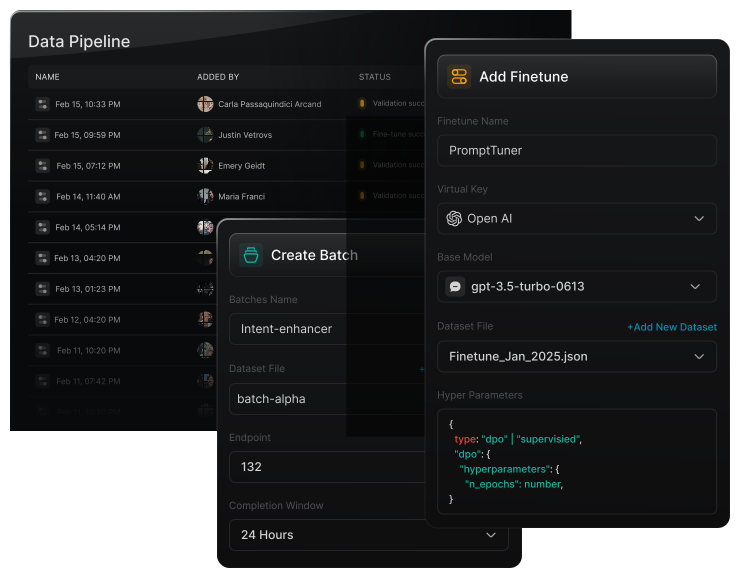
Portkey AI Gateway is an enterprise-grade AI gateway platform that helps organizations connect, manage, secure, and optimize AI interactions across thousands of large language models and providers. It provides a unified API layer for accessing AI models across different modalities without requiring separate integrations for each provider.
Key features include:
- Unified access to 1600+ LLMs and providers through a single API without separate provider integrations
- Support for multimodal AI workloads including text, vision, audio, and image generation models
- Smart routing capabilities that dynamically switch between models and providers based on configurable rules
- Automatic failover support to maintain uptime by redirecting requests during provider failures or errors
- Load balancing across models and providers to distribute traffic efficiently and improve performance
Limitations (as reported by users on G2):
- Limited advanced features: Users report that Portkey lacks some advanced capabilities, particularly around analytics, destination management, and enterprise-level controls for complex AI workflows.
- Missing advanced analytics and export options: Several reviewers mention that analytics capabilities are limited and that exporting usage or performance data is not as flexible as expected.
- Poor documentation for new users: Users note that Portkey’s documentation can be insufficient or difficult to navigate, especially for teams onboarding to the platform for the first time.
- Limited control over routing decisions: Some reviewers mention that making last-minute destination or routing changes is difficult, reducing flexibility in dynamic AI deployments.
- Overwhelming feature complexity: Users report that the platform can feel complex for newcomers, particularly when configuring integrations, routing behavior, and multi-model workflows.
Source: Portkey
5. Kong AI Gateway

Kong AI Gateway is an enterprise AI gateway platform to govern, secure, and manage AI traffic across large language models (LLMs), Model Context Protocol (MCP) servers, and agent-to-agent (A2A) systems. Built on Kong’s API gateway platform, it provides centralized control for AI traffic, enabling organizations to manage access, routing, observability, token usage, and security policies.
Key features include:
- Unified governance for AI traffic across LLMs, MCP servers, APIs, and agent-to-agent communication through a single platform
- LLM governance capabilities for controlling how developers, applications, and agents consume AI models and services
- Access control and authorization policies for managing permissions across AI workloads and services
- PII sanitization and data leakage prevention to reduce compliance and security risks in AI prompts and responses
- Semantic caching support to improve performance and reduce token consumption for repeated AI requests
Limitations (as reported by users on G2):
- Poor plugin documentation: Users report that documentation around plugins and advanced configurations can be incomplete or difficult to follow, which increases setup complexity and slows adoption.
- Missing AI features and limited plugins: Some reviewers mention that Kong Gateway lacks certain AI-focused capabilities and has limited plugin availability for specialized use cases, reducing flexibility for advanced deployments.
- Limited analytics and monitoring: Users note that Kong Gateway provides insufficient built-in analytics and monitoring capabilities, making it harder to track API usage, troubleshoot issues, and optimize performance.
- Limited advanced traffic management features: Several reviewers report that some advanced traffic control and gateway management capabilities are missing or less mature compared to competing platforms.
- Steep learning curve for configuration: Users frequently describe Kong Gateway as difficult to configure, especially when working with plugins, policies, and large-scale deployments that require deeper platform knowledge.
Source: Kong
6. AWS AI Gateway

AWS AI Gateway is a reference architecture for building a centralized AI gateway in front of Amazon Bedrock using Amazon API Gateway and other managed AWS services. The solution helps enterprises govern and control foundation model access at scale by providing capabilities such as authorization, quota management, tenant isolation, request throttling, observability, and cost control.
Key features include:
- Centralized governance for AI workloads including authorization, quota management, tenant isolation, and cost controls
- Transparent integration for client applications allowing applications to interact with Amazon Bedrock using standard AWS SDKs such as Boto3
- JWT-based authorization support through AWS Lambda authorizers integrated with enterprise identity systems
- Flexible authentication architecture supporting Lambda authorizers, Amazon Cognito, and native API Gateway authorization mechanisms
- Request throttling and rate limiting using API Gateway usage plans and API keys to control AI traffic and prevent resource overuse
Limitations (as reported by users on G2):
- High pricing for large-scale usage: Users report that Amazon API Gateway can become expensive when handling high request volumes, multiple environments, or large-scale API workloads. Pricing complexity also makes cost estimation difficult.
- Complex configuration process: Reviewers mention that configuring API Gateway can be challenging, particularly for teams managing advanced integrations, authorization rules, or high-volume APIs.
- Difficult learning curve for newcomers: Some users find the setup and management experience overwhelming, especially when working with multiple integrations, deployment stages, and AWS networking concepts for the first time.
- Complex multi-stage management: Users note that managing multiple API stages, environments, and backend integrations can become difficult as deployments grow in complexity.
- Complicated pricing model: Several reviewers describe the pricing structure as hard to understand, particularly for applications with unpredictable traffic patterns or extensive API usage.
Source: Amazon
7. Azure AI Gateway
Azure AI Gateway is a set of AI management and governance capabilities built into Azure API Management for controlling, securing, scaling, and monitoring AI workloads. It provides a centralized gateway layer for managing language models, AI agents, MCP servers, self-hosted models, and AI APIs across Azure and third-party providers.
Key features include:
- Unified governance for AI workloads including models, agents, MCP servers, AI tools, and AI APIs
- Support for OpenAI-compatible APIs including Chat Completions and Responses APIs
- Support for self-hosted AI models and endpoints managed through the same gateway layer
- MCP server support including exposing REST APIs as MCP servers and governing existing MCP endpoints
- A2A agent API support for importing and managing agent-to-agent communication APIs
Limitations (as reported by users on G2):
- Complex platform and configuration: Users report that Azure services can feel overwhelming due to the large number of tools, services, and configuration options. Selecting the right service combination and configuring gateways correctly can require significant Azure expertise.
- High pricing and additional costs: Several users mention that Azure Application Gateway can become expensive, especially when using advanced capabilities such as WAF, AI services, or scaling across regions. Data transfer and traffic-related charges can also increase costs.
- Steep learning curve: Reviewers frequently describe Azure as difficult for beginners. Understanding the platform, networking concepts, and gateway configuration requires time, particularly for teams without prior Azure experience.
- Confusing user interface: Some users find the Azure portal cluttered and difficult to navigate. Managing resources, dashboards, and gateway settings can be challenging, especially for new users.
- Performance and scalability limitations: Users report added latency, slower scaling under heavy traffic, and limitations around protocol support. Some reviewers also note that Application Gateway is primarily designed for HTTP/HTTPS workloads, which limits broader use cases.
Source: Microsoft
Conclusion
An AI gateway is a critical middleware layer for enterprises scaling their AI adoption. It centralizes control, providing essential benefits like enhanced security, robust governance, and comprehensive observability across diverse models and applications. By acting as a secure bridge for agentic and LLM workflows, it simplifies complex integrations, accelerates development, and enables responsible, reliable, and scalable AI integration.